The Monstro City
Arcade cabinets, particularly Japanese candy cabs, confer a number of benefits to a player beyond merely looking cool. Firstly, they're primarily manufactured to be used in a seated position, with the joystick and buttons hovering at a height to where a given player's forearms and wrists will be roughly level with each other, and in a straight line. The buttons are usually even spaced out to align with the tips of the fingers on most peoples' hands. These cabinets are ergonomic in a way that most American stand-up cabs aren't, and are quite comfortable to play on. Japanese cabinets also feature screens that are very large, and tilted so to avoid glare from overhead lights. The intimacy brought on by the easy controls and the seated position, foisting the player right up on such a big clear screen, makes for a very immersive experience. If you've got the money and the skill, you can very much "settle in" for a bit at one of these machines.
And though not necessarily always big, these suckers are definitely heavy. The top half is predictably weighed down by a CRT monitor, never a fun object to move from one place to another, but the bottom half is also commonly a big steel block, with a hollow where the game circuitry lives. Combine this with the outstanding durability common to arcade joysticks and buttons, and you have a machine that can take a beating. You can really slap the stick around here, and neither will the stick break nor will the machine itself budge an inch. You're in total control.
Playing arcade games at home usually takes the form of sitting in front of a TV or computer monitor with a joystick in your lap, and indeed this is how I played arcade games at home for over ten years. Joystick controllers made for home use are typically built into a pretty sturdy base, and your lap is, well, part of you, which means it's a stabilizing element relative to your own body. Earlier this year, though, I started to become the slightest bit dissatisfied with this setup; it became recognizable to me that lap-stick is a control method that does, to some degree, require participation from your whole body. Most obviously it limits your leg positions to those in which you can comfortably seat a big wide joystick on them, but more subtly, it also limits your leg movement during play. Sometimes my heels leave the ground and my knees raise up in the midst of something intense going on, and sometimes this displaces the joystick position enough that I can misinput. To be clear, these are small problems. A normal person would get over it, or not recognize the problems at all. But I'm very much not normal, and from a slight annoyance in the way I played arcade games at home sprawls a bizarre journey of extreme particularity combined with extreme laziness. This is the making of the Monstro City.
Phase 1
It began unassumingly. Innocently, even.
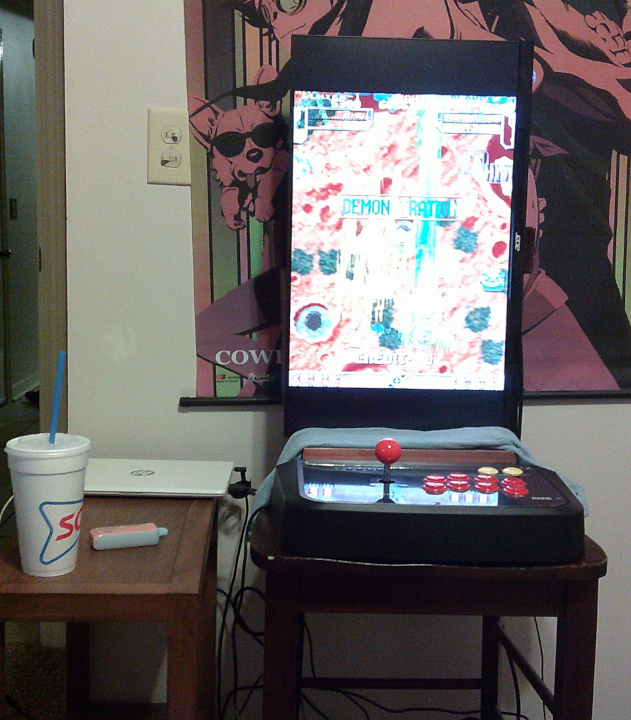
I grabbed my laptop and installed MAME on it, then hooked it up to an old monitor and set it all up on a sturdy chair with an endtable I wasn't really using beside it. An unopened sushi-making kit I recieved for Christmas propped up the monitor, which I could orient either horizontally or vertically thanks to the chair back, with an old t-shirt draped over it to counter the glare on the shrinkwrap coming from the monitor. This was satisfactory, for a time. It was stable, it was immersive, it felt good to play on. However, I like my laptop and wanted to use it as a laptop, not as the driver for this soon-to-be out of control ersatz MAME cabinet project. I bought a $100 refurbished mini-PC and thusly had a fully-purposed game machine:
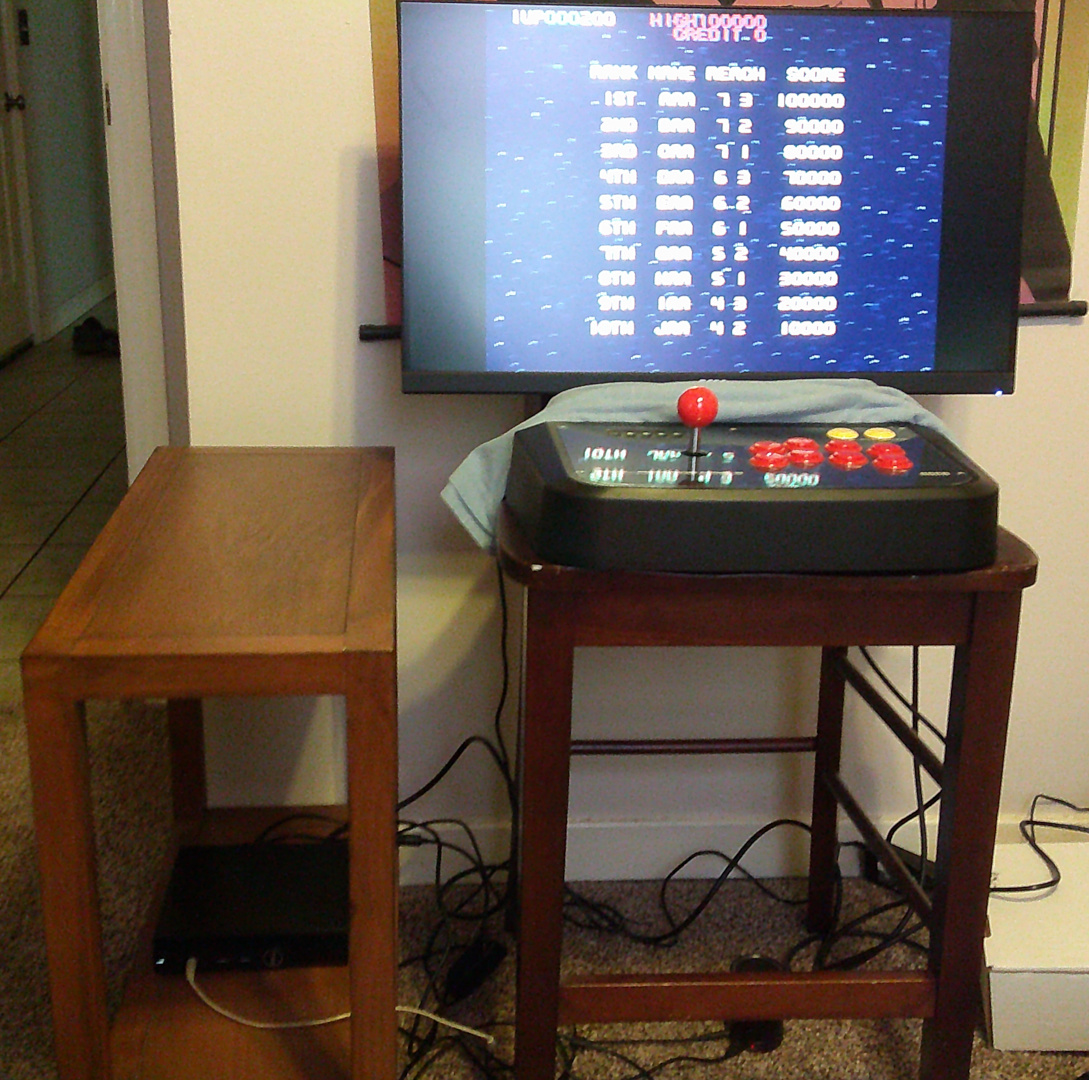
There's a small can speaker sitting under the chair, there. It sounds like ass but it was, (A) something I already had, and (B) something that got the job done. This is going to be a running theme.
So the chair itself is pretty sturdy, and the monitor holds up well enough, not shaking around while I'm violently throwing the stick back and forth. Mission accomplished, right? Of course not. I can always find something to be dissatisfied with. Here, it's the seating situation: When I roll up to the Chaircade in my computer chair, there's nowhere to comfortably put my legs without feeling like I'm a mile away from the controls. I have to either cram my knees into the space between the chair legs or manspread like no one has manspread before. Neither is an appealing option. But I tried to make it work, really I did.
However, before I abandoned the chair entirely, there was an interstitial stage of psychosis in which I frittered about with screen refresh rates; coming up with custom modelines in Xorg to match up my monitor's refresh rate to any given game's internal refresh rate as reported by MAME (e.g., if a game natively runs at 57.96 hz, I would set my monitor to 58 hz). I lucked out a bit here in that my old Acer flat panel screen seemed to accept any random refresh rate I threw at it up to about 75hz, as long as it was an integer (I could ask Xorg for a fractional refresh rate but the monitor's OSD would always display it rounded off). I also went back and forth on enabling MAME's notoriously laggy vertical sync; with it on and the refresh rate set to match the game as close as possible, many games were "buttery smooth", at the quite ample expense of responsiveness. With it off, tearing was inevitable, and where the screen refresh rate is close to the game's, tearing is represented by a single, slowly moving or even stationary tear line. The screen being consistently split into two halves is ironically more irritating than consistent tearing across the whole screen, and through this experience I came to the frustrating realization that even if my screen's refresh rate and the game's refresh rate match precisely, there's no way to tell MAME "hey always start the new frame RIGHT HERE, AT THIS INSTANT PLEASE" in any kind of robust, lag-free way.
So I came to my senses and just bought a new monitor that can do 180hz. Maintaining an absurdly high screen refresh rate relative to a given source well enough overcomes both tearing and jitter, and so I hooked up the monitor via DisplayPort, set it to 180hz and called it a day. It was another Acer monitor, the same size even, and it looked identical from the front. The back, however, was all bulged and rounded in a much more pronounced way than the old monitor's, which made my perching it up against the chair's back in the vertical position far more precarious than it had been. I mean, it still basically worked, but this was a situation that was becoming less and less tenable. And to head this off: I have a rotating monitor mount; it sucks. It's a pain in the ass to loosen and tighten the sliding grip around the spine, and even if I've squeezed every last millimeter of rotation out of the allen wrench necessary for tightening it, the screen's weight still makes it slide down gradually, not to mention the fact that the screen will wobble if I place it on the same surface as the stick. I needed to be able to orient the screen in either direction to facilitate the playing of any arcade game with a minimum of letterboxing. It was frustrating knowing that CRT screens are just big ol' boxes, and so orienting them in either direction was just a matter of picking it up off the surface it's sitting on and turning it sideways; it would stand freely either way. How could I make this the case for my new flat panel monitor? This way lies madness.
Phase 2
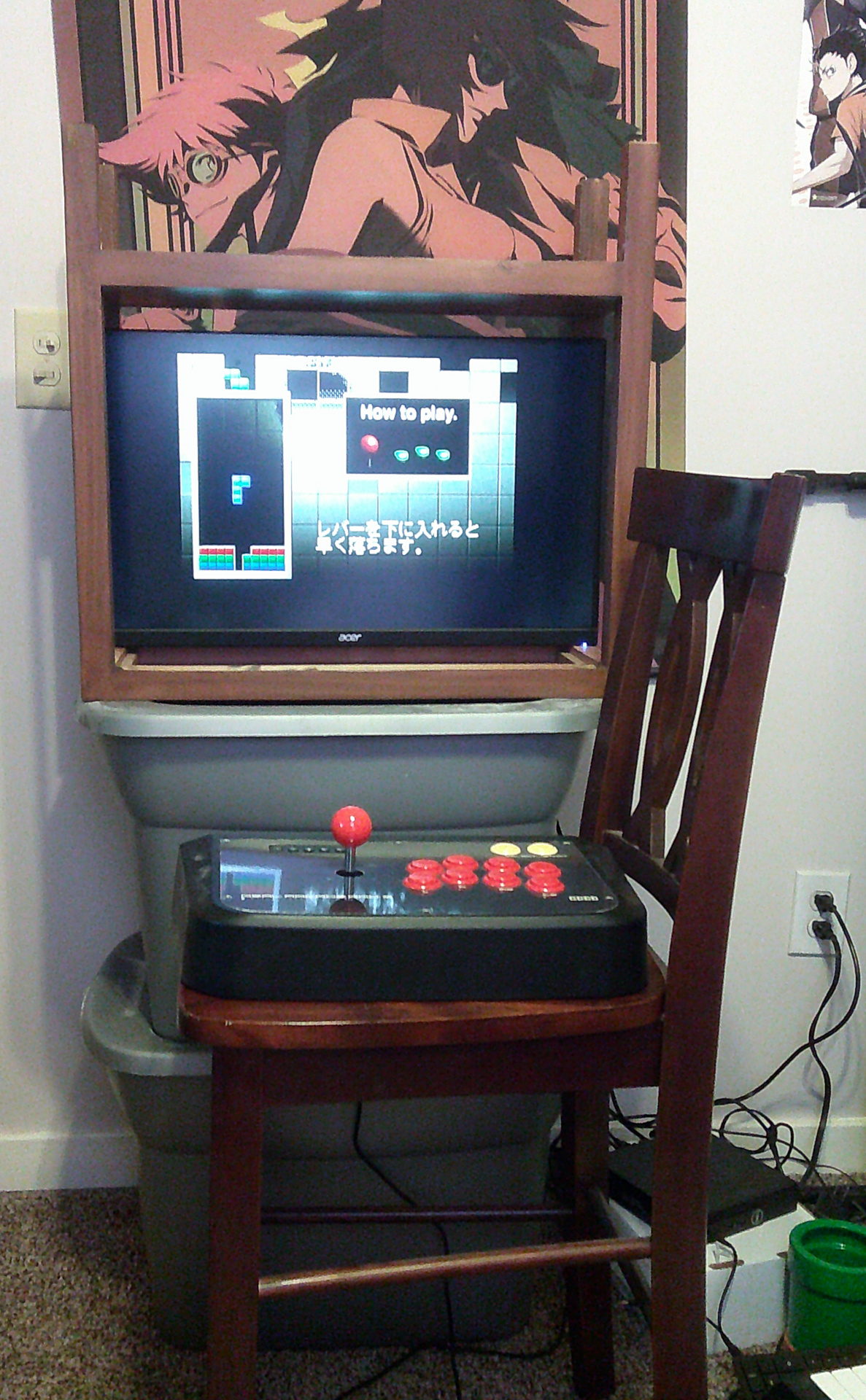
I of course did the logical thing and cannibalized the afore-pictured endtable for use as a monitor frame. I grabbed two Bins of Crap from my bedroom, both quite heavy, stacked them, and placed on top this baffling combination. The chair remains as a joystick stand, wholly separate from the display surface.
I won't lie. I felt like a fucking genius.
I had a free-standing, relatively sturdy block of wood that was just the right size that I could slip the monitor into it and it would hold it in place, no matter what orientation it's in. Actually rotating it in the first place was quite finicky though, as it's open on both sides, and so I had to kind of hold the monitor in place on one side while I flipped the entire contraption. So I raided a closet, grabbed a hammer and some fasteners, and a lid from a small plastic bin that I felt like I could part with (thank God for my rich abundance of plastic bins), and I nailed it to one side to act as a catch:
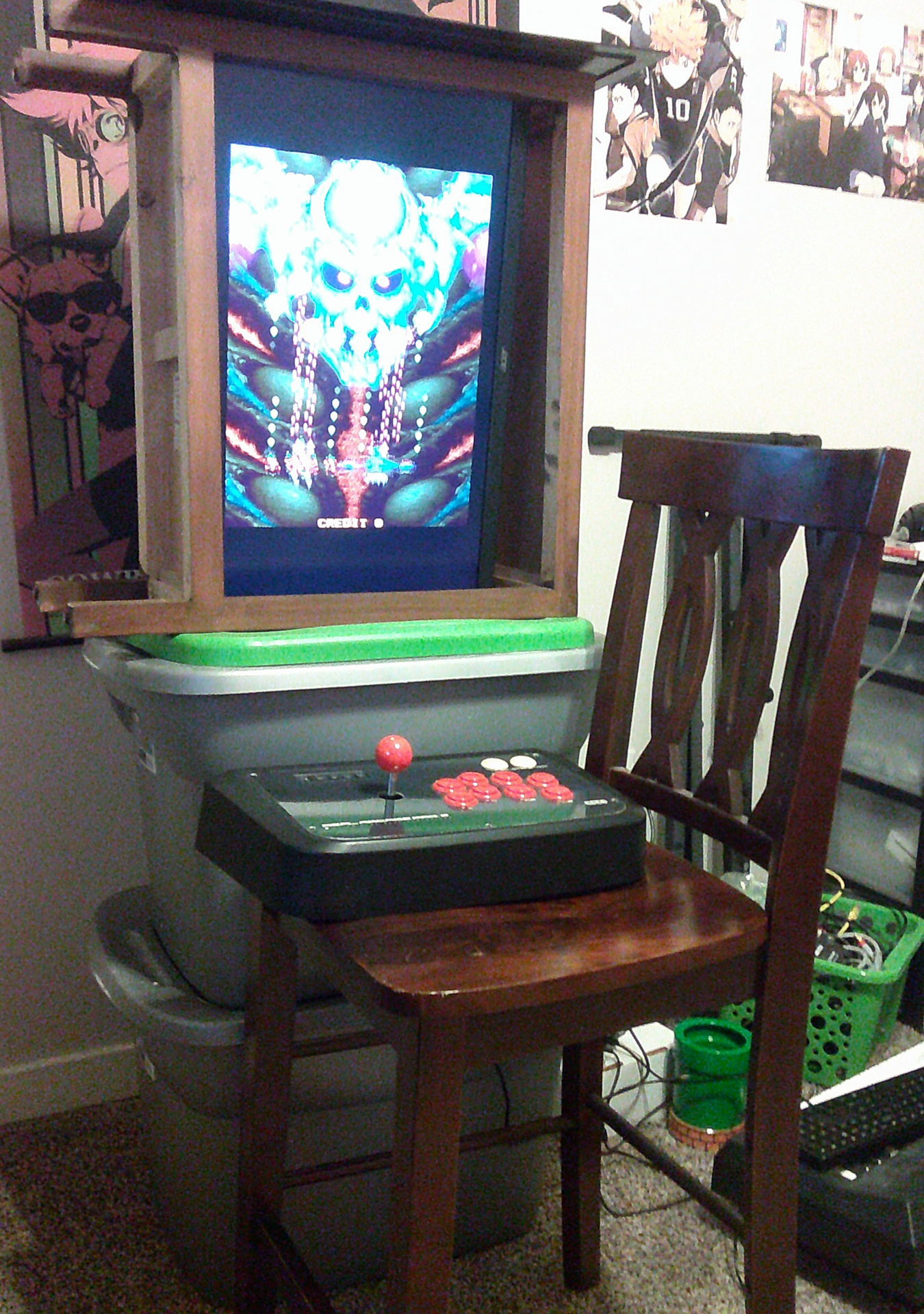
The green mass seeping from the bottom is the lid I nailed to the endtable, and a music stand for a digital piano sits on top of it to block out the light from above. The screen itself is tilted forward to account for the height difference between the controls and the screen box. Functionally, though, something was wrong, and I knew something was wrong the whole time. Not in the sense that what I was doing was an aesthetic abomination, nor in the sense that my behavior well resembled that of a meth head, as I had long made peace with these things, but in the sense that I wasn't going to be comfortable this way. The damn chair just wasn't working out.
This was a real tough nut to crack. Just grabbing a fold-out table to put the whole contraption on was out, as those wobble like crazy, and I really didn't want to buy a legitimate desk as I hate having furniture that's difficult to move and clean around, and I also didn't want to wait for it to be delivered to me. I need results now, damn it! Alas, this is where things really went off the rails.
I went out and bought a tv tray from Wal-Mart; by itself it wasn't a very good solution, as a tv tray is wobbly. Duh. The legroom situation was slightly improved over the chair but this was scarcely better than the normal lap-stick setup. And so I grabbed an empty shelf out of a bookcase, flipped the tray over, and nailed the shelf to the feet of the tray. This added stability, but foot placement was problematic:
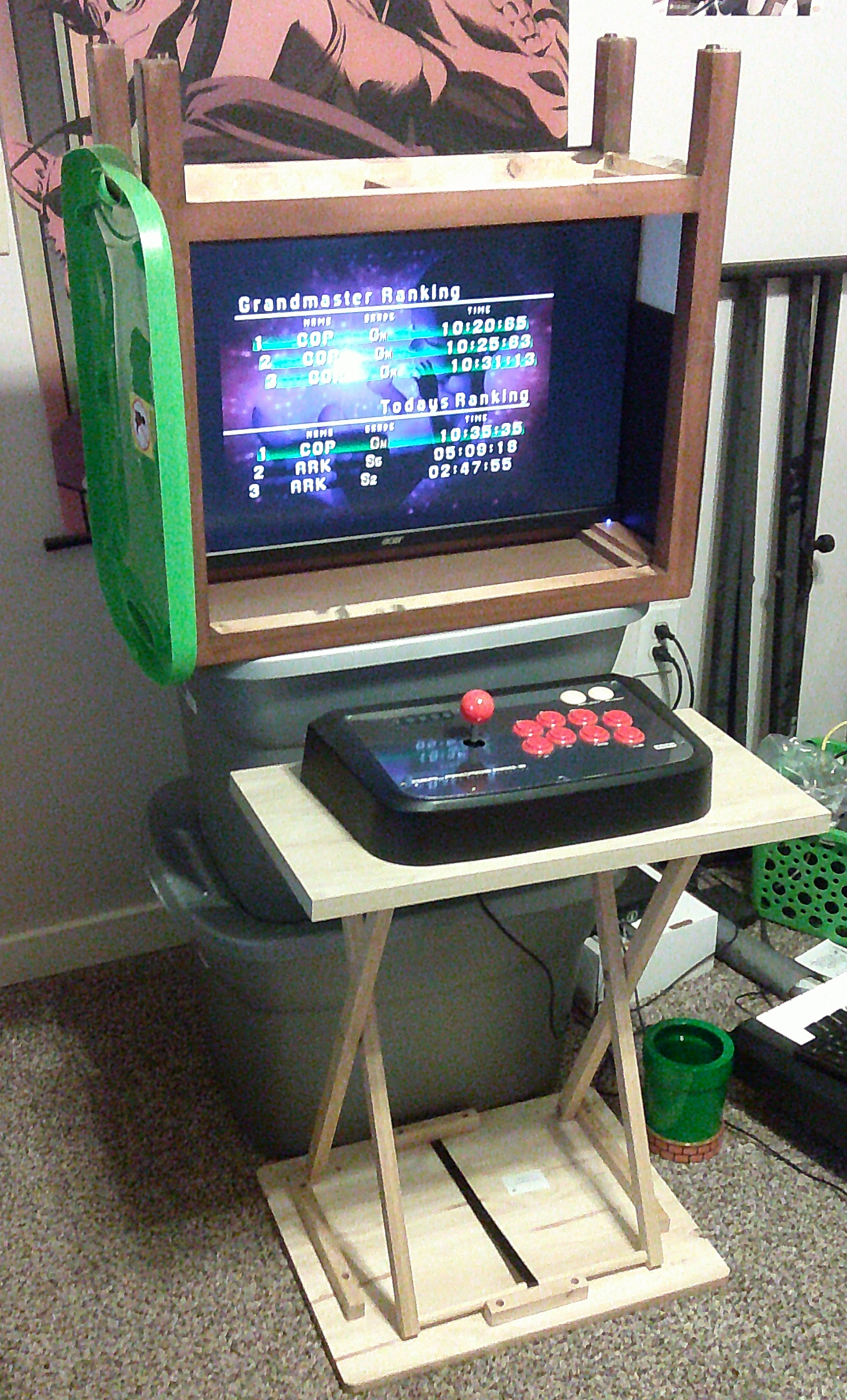
This all came to a head when I went to Lowe's and bought a bunch of 1-foot-by-1-foot squares of plywood. I did not know what I was going to do with the plywood. I am not "handy," in any sense of the word. I just thought, y'know, maybe I could build...something.
It was at about the time I was attempting to to form some kind of makeshift joystick "desk" out of this utterly unsuited type of wood and the repurposed bookshelf that I had to stop myself. I needed to take a step back and really rethink the problem. "I should not be doing this," said, finally, the voice in my head.
Phase 3
I put the shelf back on the bookcase, and threw the tv tray into the closet. I went back to Wal-Mart and bought a small fold-out table. I set the monitor box on top of it and the joystick in front of it. The relationship between the screen and the stick is about as cabinet-like as I can get; the legs on the endtable and the letterboxing on the screen itself dually ensured that there was basically a center of rotation between the two orientations. The legroom situation is about as good as it can be. I even had a little space on the table to the left of the screen to set a drink or something. It's just, the wobble. I needed to fix the wobble. How do I fix the wobble?
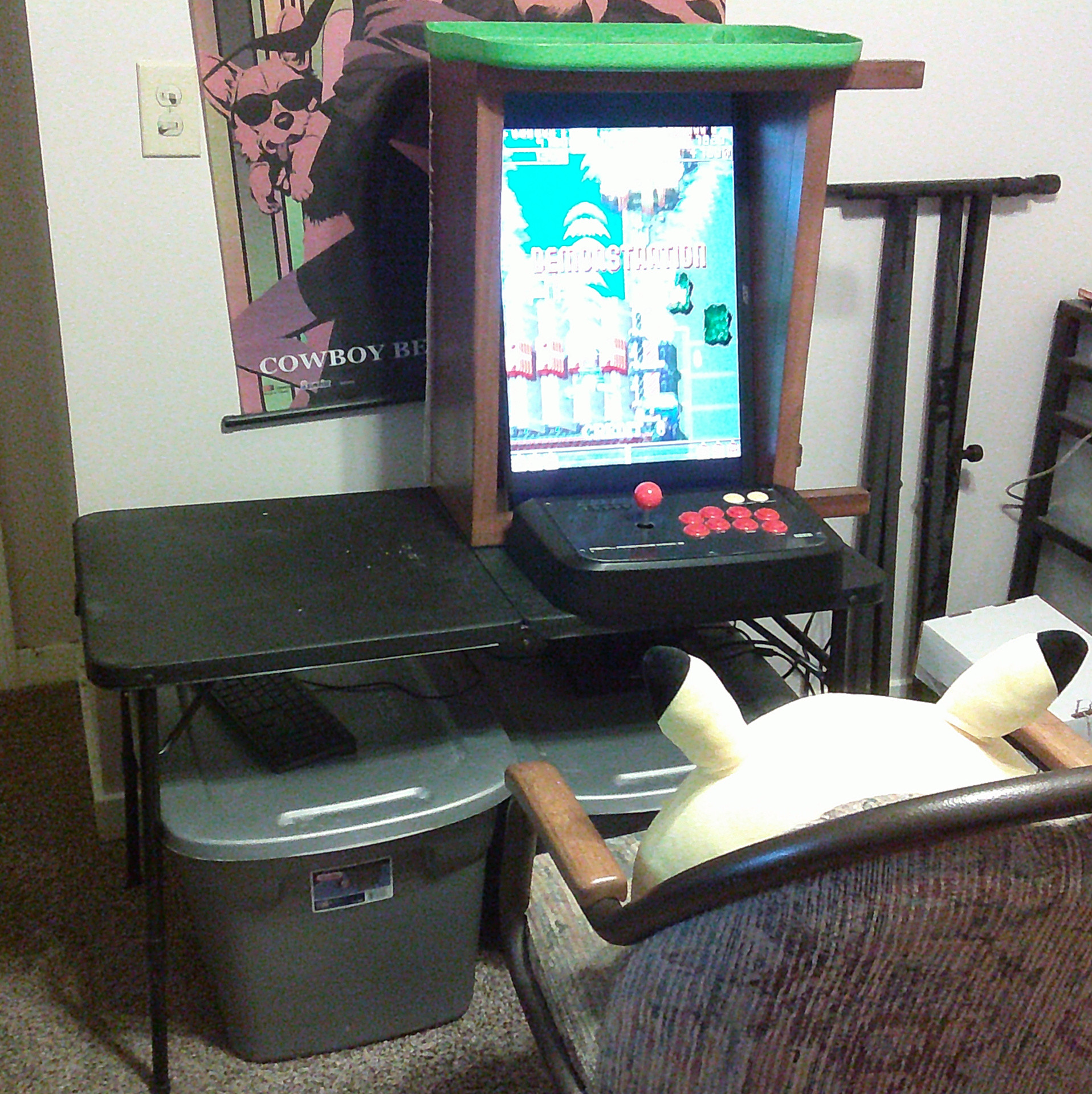
My trusty heavy bins of crap come to the rescue. I can sort of squeeze both of them under the table itself to where they're bulging out against its rear legs, which bestows unto this ridiculous setup blessed stability. I can't say it doesn't budge at all, but I can definitely slap the buttons and waggle the stick without ever really thinking about it, and ultimately that is what I was aiming for. The plywood I confusedly bought ended up coming in handy as something to seal up the remaining endtable-cum-monitor frame openings, though I couldn't figure out how to remove the fasteners holding the green lid in place, and so the Monstro City retains some of its meth-headed charm.
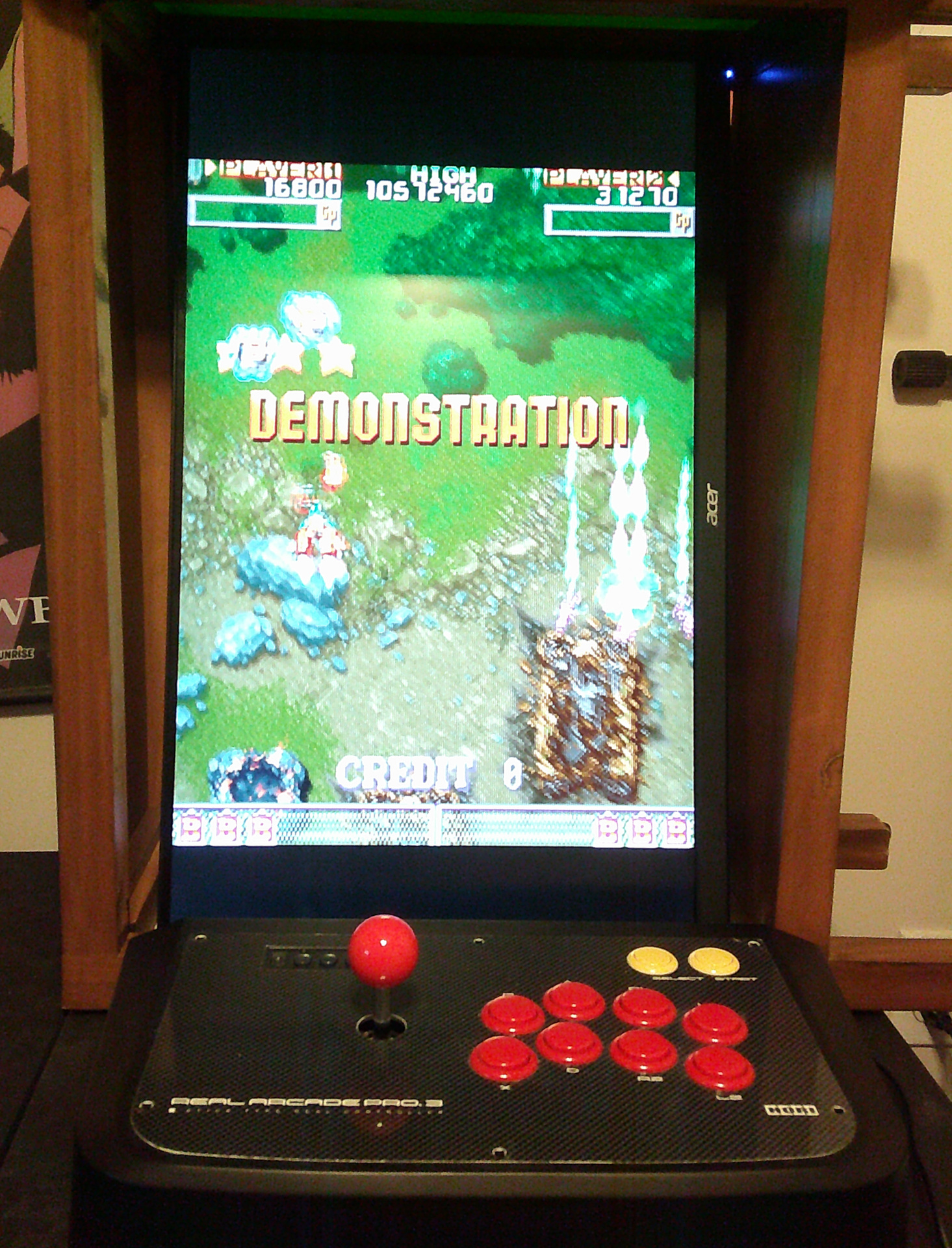
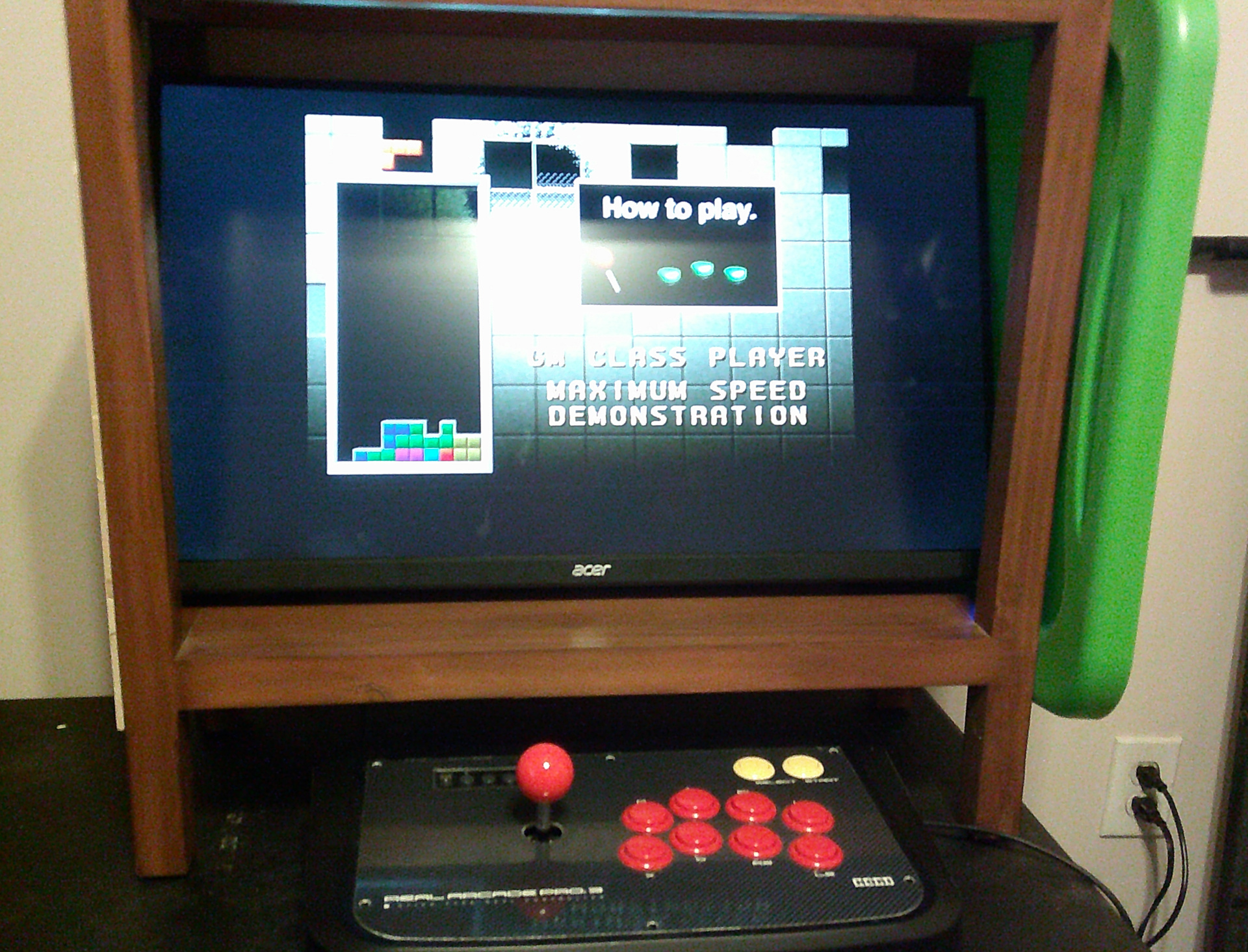
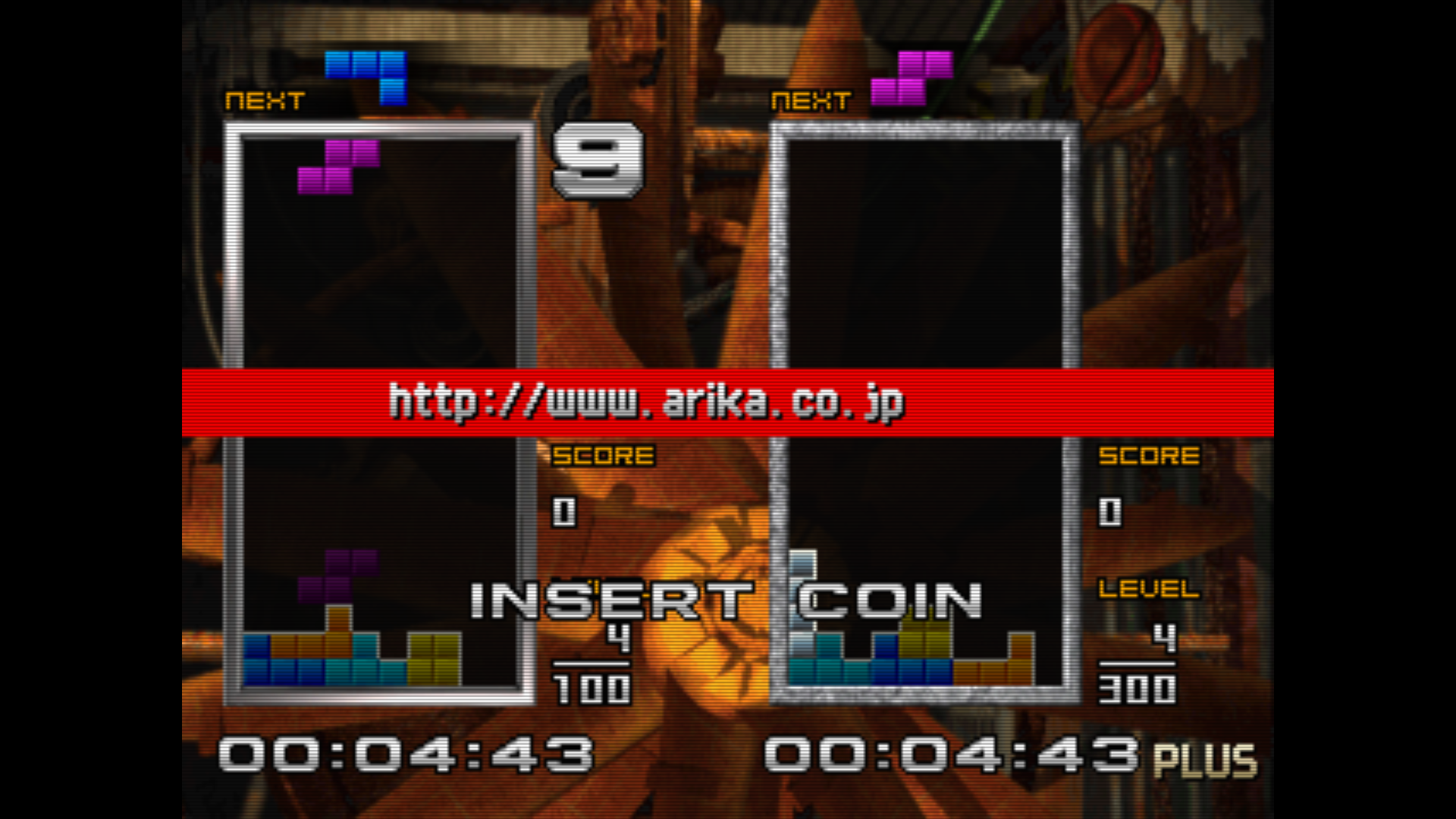
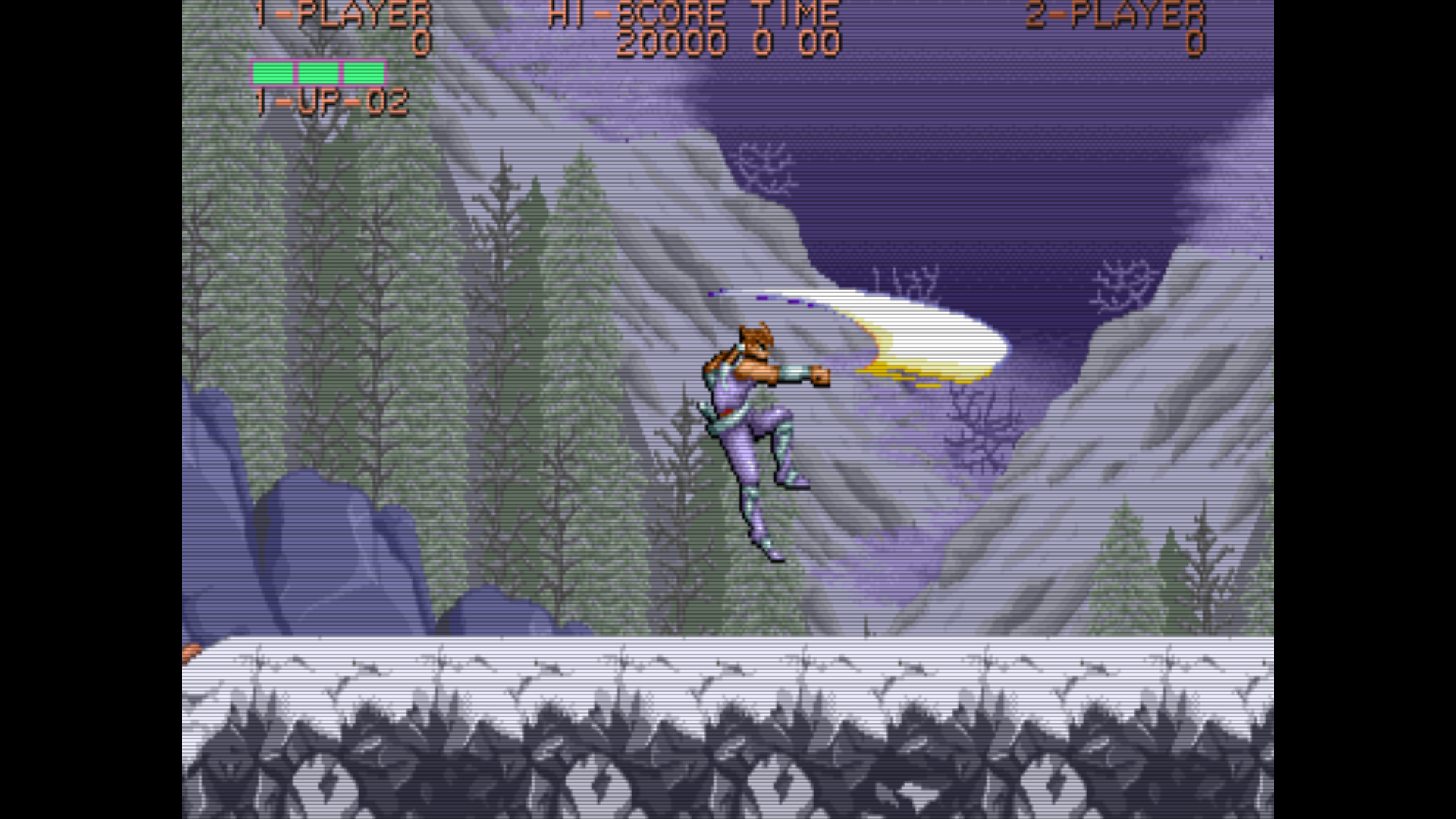
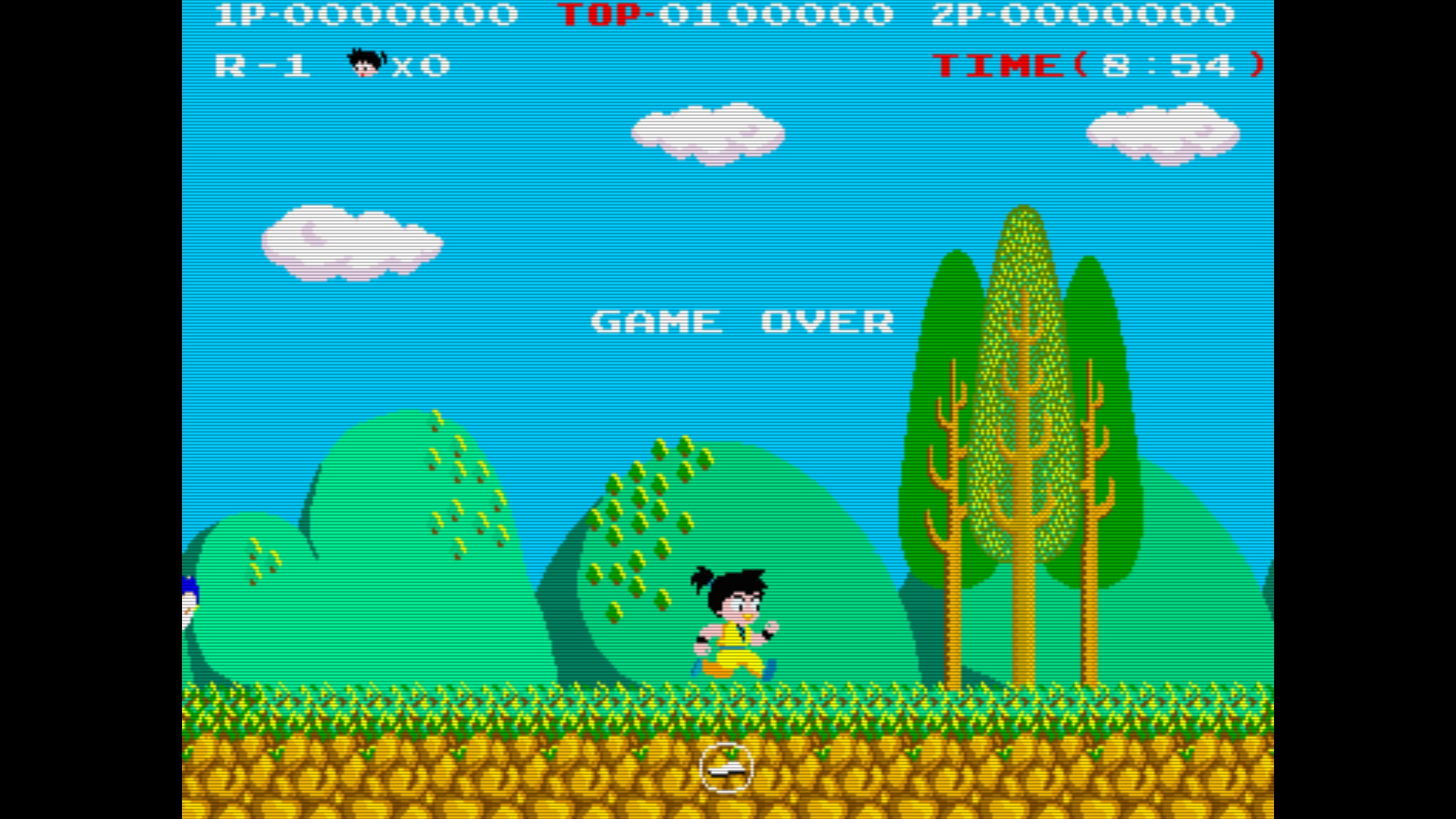
And so that's about it. The aesthetics are pretty far from the Sega City that kicked off the candy cab style in earnest, but the practical experience is close enough. The size of the viewable screen is even roughly the same as that cabinet. As far as the actual display is concerned, anyone who has read my Shredder's Revenge review will know that I detest unfiltered scaling of low resolution material, but I didn't want to bog anything down with special CRT shaders, and so in the midst of my messing with refresh rates I also came up with a cheap, good scanline effect that can be applied as a MAME overlay, even when doing non-integer scaling:
- Make sure MAME's "filter" and "keepaspect" options are set to 1 in mame.ini (these are set by default so this shouldn't be necessary if you haven't manually disabled them)
- Get the native vertical resolution of a given game from MAME's Machine Information (e.g. for 320x240, 240 is the vertical resolution)
- Multiply this number by 4
- Open GIMP and create an image that is 1 pixel wide, and however many pixels derived from step 3 tall
- Draw a 4-pixel vertical pattern of 50% opacity Black, White, White, 50% opacity Black
- Fill the rest of image with this pattern (select and copy the four pixels, deselect them, go to Fill tool, select Pattern fill, and then click the blank area of the image)
- Scale the image to 1 pixel wide, and however many pixels the vertical resolution of your screen is tall (e.g. 1x1080 for a screen resolution of 1920x1080), using Lo Halo interpolation
- Export this image to png and put it in MAME's effects folder; here I like to name the image after the vertical resolution of the game (224p.png, 240p.png, etc)
- When you run a game in MAME and have an overlay for its resolution, just add the command line option "-effect [224p, 240p, etc]"
Here's some example screenshots of this effect in action on a target display of 1080p: Tetris the Grand Master 2 PLUS (240p) - Strider Hiryu (224p) - Kaiketsu Yanchamaru (256p)
And of course more modern hi-res arcade-style games work just fine as-is; I've been playing Tromi and Tetris the Grand Master 4 constantly on this setup. Short of an actual cabinet, I can't think of a better way to play arcade games.
Anyways, I hope you've gotten something out of reading about my long weird journey here, even if it's a sense of discomfort at the idea that someone would go through all of this just to arrive at something so janky. But it was fun to do, it's fun to play on, and it's been fun to write about. So there :P